

VIMS EHSVIMS EHS

Safety plans and zones — your site on a live safety map

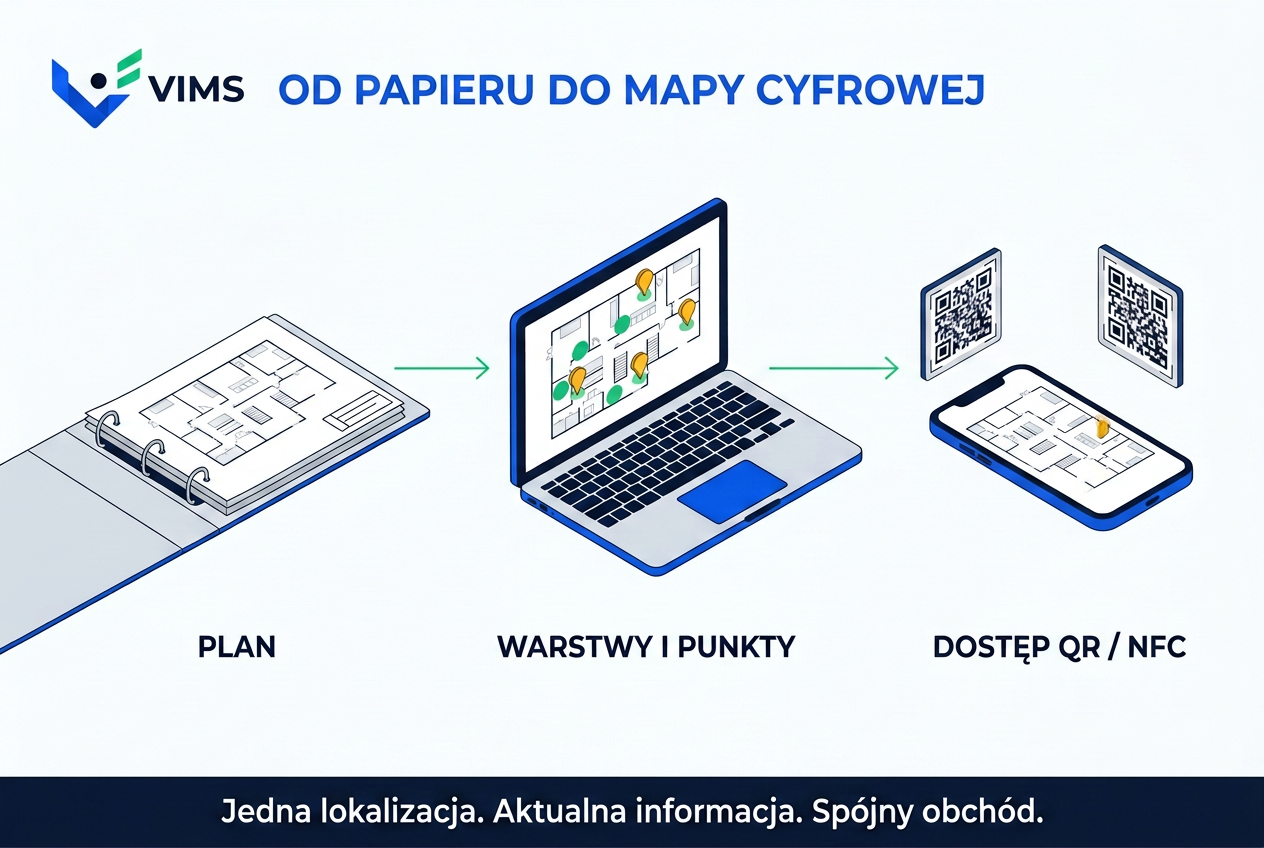
Evacuation plans in display cases and binders of floor plans rarely help when every second counts. The Safety plans and zones module turns a floor plan into an interactive map linked to documentation, chemicals, safety walks and emergency procedures.

  • ISO 7010 signs
  • Fire zones
  • ATEX zones
  • QR and NFC
  • Beta
VIMS EHS Safety plans and zones — interactive site safety map with fire zones, an ATEX explosion hazard zone and ISO 7010 signs

No more static PDFs

In most plants, floor plans are disconnected from current data. Moving an extinguisher, adding a first-aid kit or changing an exit means editing a drawing by hand, and an outdated plan can stay on the wall for years.

Workers and contractors often do not know which hazard zone they are in, and auditors lack a quick view of where safety equipment is. VIMS solves this: upload a floor, hall or outdoor plan, place the key objects on it and link them to the rest of the system.


Who the module is for

Plant and operations managers get a clear picture of risk on one screen, from any device. Safety and fire specialists prepare audits, documentation updates and workplace briefings faster.

Maintenance teams and responders immediately see energy isolation points, main utility valves and rescue equipment. The module is not only for EHS — engineering, quality and food safety teams use it too.

VIMS EHS Safety plans and zones — interactive evacuation plan with extinguishers, hydrants, fire alarm call points and escape routes marked with ISO 7010 signs
Fire safety plan: fire equipment, escape routes and fire zones, always in the current version.
VIMS EHS — scanning a QR code at the hall entrance opens the safety zone plan on a worker's or contractor's smartphone
QR/NFC access point: the approved zone plan on a worker's or contractor's phone, with a session that expires automatically.
VIMS EHS — safety walk on the site map: the inspector pins defects and hazards directly on the floor plan
Walks on the floor plan: every defect has an exact location and can immediately become a CAPA action.

Key capabilities

ISO 7010 and PN-N signs, zones and GPS calibration

A library of ISO 7010 and PN-N signs, fire zones and confined spaces, fire equipment linked to procedures and GPS calibration of the plan (affine georeferencing).

ISO 7010-compliant signs

A library of evacuation, fire, warning and mandatory signs: hydrants, shut-off valves, call points, first-aid kits, safety showers.

Fire, ATEX and high-risk work zones

Draw areas, outlines and escape directions; Ex zones highlighted with a warning pattern.

Chemical substances and SDS on the plan

Clicking a chemical store opens a short substance card and the required PPE.

Instructions and procedures at hand

Objects on the plan link to safety instructions, energy isolation procedures and the people responsible for the area.

Walks and inspections on the plan

A walk route on the plan and pins for defects, hazards and completed CAPA actions.

Field access via QR and NFC

A scan at the entrance opens the approved zone plan on a phone, with an automatically expiring session.

How Safety plans and zones works

From uploading a floor plan to a map the whole site uses — without drawing from scratch.

  1. 1Upload the floor plan
  2. 2Place signs and zones
  3. 3Link chemicals and procedures
  4. 4QR/NFC access points
  5. 5Walks and reports on the plan

Frequently asked questions about Safety plans and zones

Do I need CAD files?

No. A floor plan as an image or PDF is enough. We will go through supported formats during the demo.

Does the digital plan replace the evacuation plan posted in the building?

No. Mandatory plans must still be posted on site. The module makes updating them easier and gives access to the current version on any device.

Will a contractor see the whole site?

No. Through a QR/NFC point they receive only the approved plan for that zone, and the session expires automatically to protect confidential information.

Does the Safety plans and zones module work without the other VIMS modules?

Yes. Safety plans and zones can run on its own; links to chemicals, walks or reports appear when you use those modules. Details are in the pricing section.

Related modules

See an interactive map of your own site

Book a 20-minute online demo or test the module on your own floor plans for 30 days.